
Camera app · Android
One Camera: Manual, RAW & Film
Film looks you see live in the viewfinder, manual dials, RAW and 4K video.
- Free to use; Pro is one payment
- No account, nothing uploaded
- In 11 languages
 SmartShelfClipboard tool for Android · by Blinqdroid
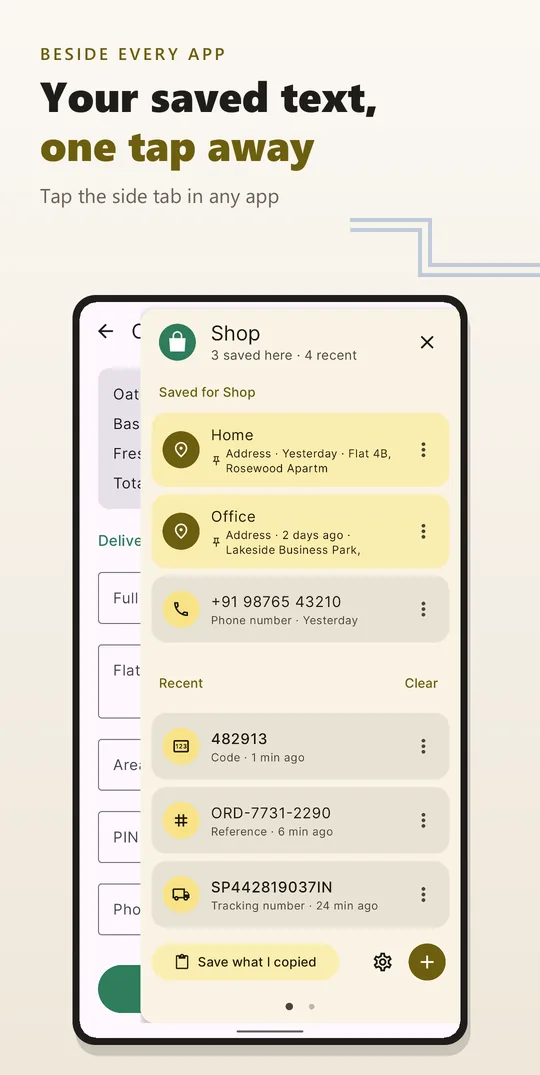
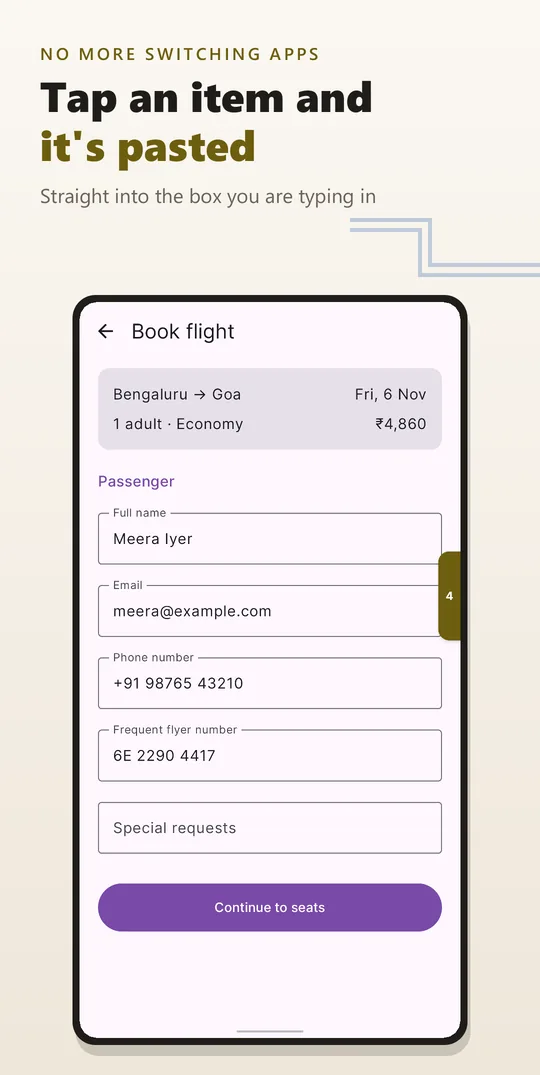
SmartShelf keeps the text you type again and again on the edge of your screen: your address, an account number, a tracking number, the code you were just sent. Tap the side tab in any app, tap an item, and it's pasted into the box you're typing in.
 Pay once on Google Play. No ads, no account, no subscription.
How it works
Your address, an account number, a tracking number, the code you were just sent.
01
Copy, select, share or type a piece of text, and it's on your shelf.
02
Open the side tab in any app and tap the item. It's pasted where you're typing.
03
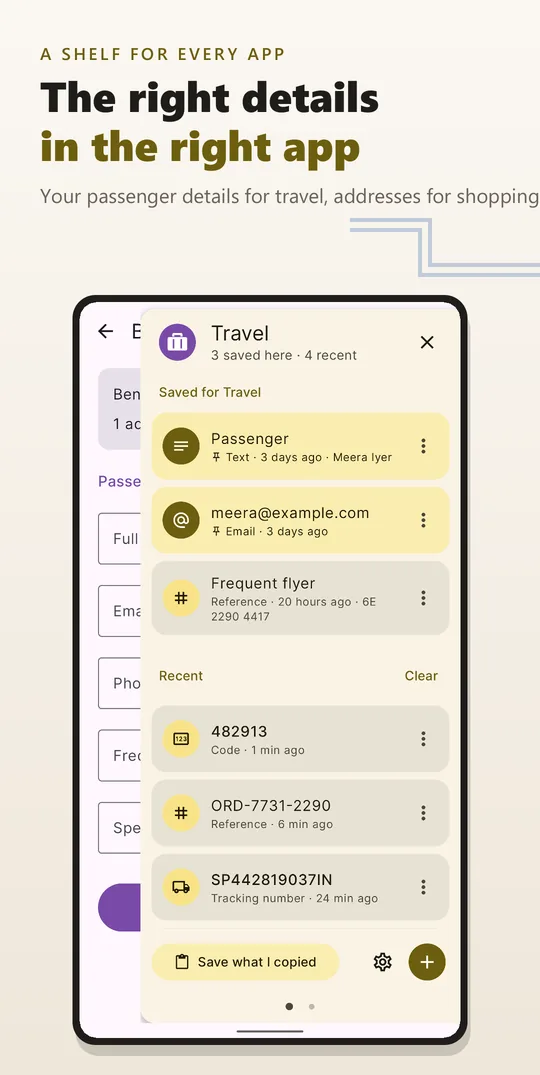
SmartShelf knows which app you're in and shows the items saved for it first.
A shelf for every app
Addresses when you're shopping, order numbers when you're chatting with support, your email when you sign up.
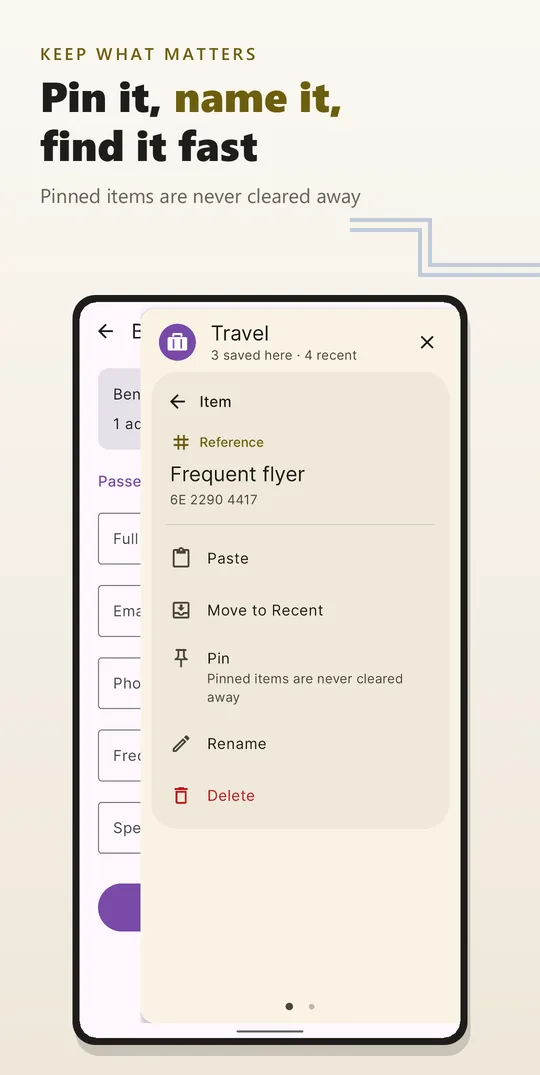
Saving text
Smart paste is optional. Without it, tapping an item copies it and you paste it yourself. With it, SmartShelf pastes the item straight into the box you're typing in and shows the items for your app the moment you open the panel. You can also press and hold an item and drag it into a box.
Private by design
Every detail is in the SmartShelf privacy policy.
Shortcuts
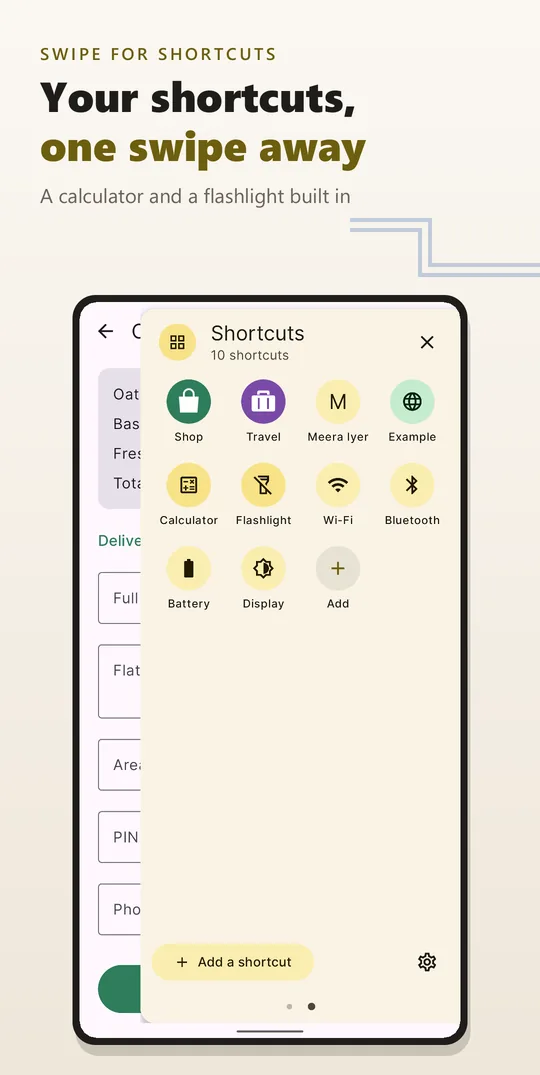
Swipe the panel the other way for the apps, websites, people and settings you reach for most, one tap from any app.
Make it yours
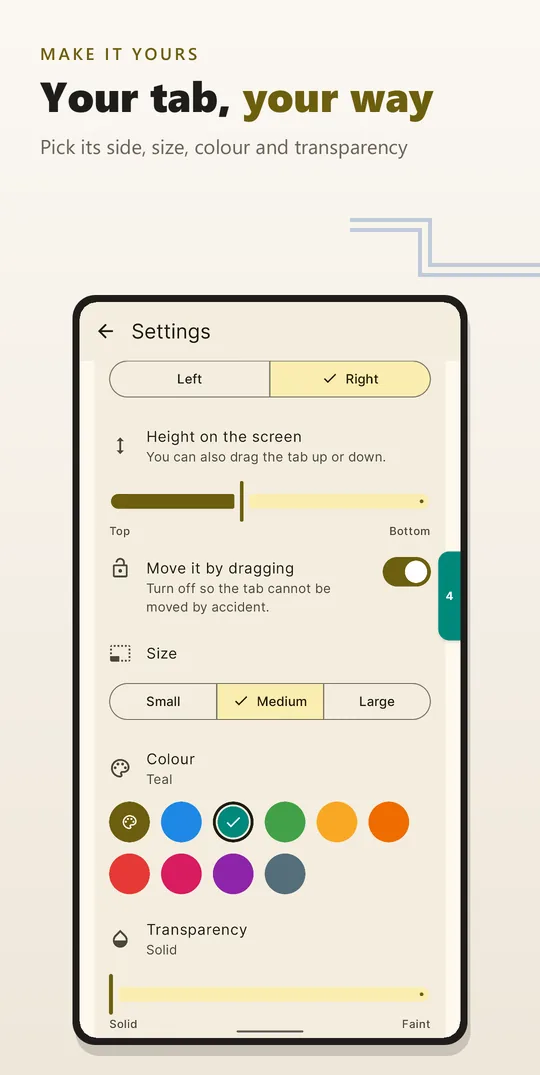
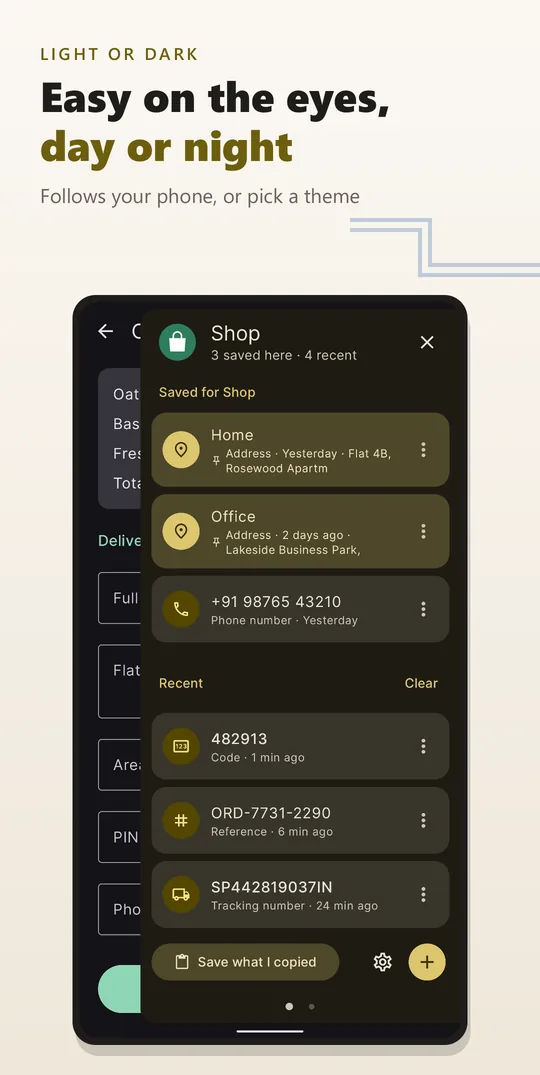
Put the side tab on the left or right of the screen, at the height you like, and pick its size, colour and transparency. Choose a light or dark theme, or follow your phone's.
Good to know
What each permission is used for is set out in the SmartShelf privacy policy.
Questions
It keeps the text you type again and again on the edge of your screen: your address, an account number, a tracking number, the code you were just sent. Tap the side tab in any app and a panel opens with your items. Tap one, and it is pasted into the box you are typing in.
No. SmartShelf is a paid app that you buy once on Google Play, which shows the price in your currency. There are no ads, no accounts and no subscriptions.
No. Your items are kept only on your phone and are not copied to cloud backups. SmartShelf has no internet permission, so it cannot send anything anywhere.
Only for Smart paste, which is optional. With it, SmartShelf can see which app you are using, save text when you tap Copy, and paste an item into the box you are typing in. It reads the screen only for these three things. Without Smart paste, tapping an item copies it and you paste it yourself.
In payment, UPI, wallet and banking apps, SmartShelf steps aside: the side tab is hidden and Smart paste reads nothing. You can add any other app to that list. This is on by default, and you can turn it off in Settings.
Things you copied lately sit under Recent until you use them. Verification codes are cleared after 15 minutes and other recent items after a day; you can change both times or turn them off. Items you pin are never cleared away.
Also by Blinqdroid
Camera app · Android
Film looks you see live in the viewfinder, manual dials, RAW and 4K video.

Puzzle game · Android
Solve jigsaw, pipe and memory puzzles to bring a ruined island back to life.

Family puzzle game · Android
Jigsaw puzzles for kids and adults. Play solo, together, or race a clock.

Platform game · Android
Flip day into night with a lantern to find a way through. A fox's platformer.

Daily word game · Android
Four words across, four down, sharing every letter. A new grid every day, the same for everyone.
Your address, numbers and codes in a side tab, in every app. Pay once; no ads, no account, no subscription.